A video editor for clippers: from one long recording to ranked, captioned clips
Clipping is a volume game. The creator gives you a stream, a podcast or a talk, and you need many short clips, captioned, vertical, ready to post, before the next one lands. Raw2Reel reads the whole recording, picks 5 to 10 moments that stand on their own, ranks them best first and edits each one: 9:16, word by word captions, pauses and retakes cut, music and b-roll. In our test on 1 November 2026, a 44-minute podcast came back as 10 finished clips in 3 minutes 23 seconds.
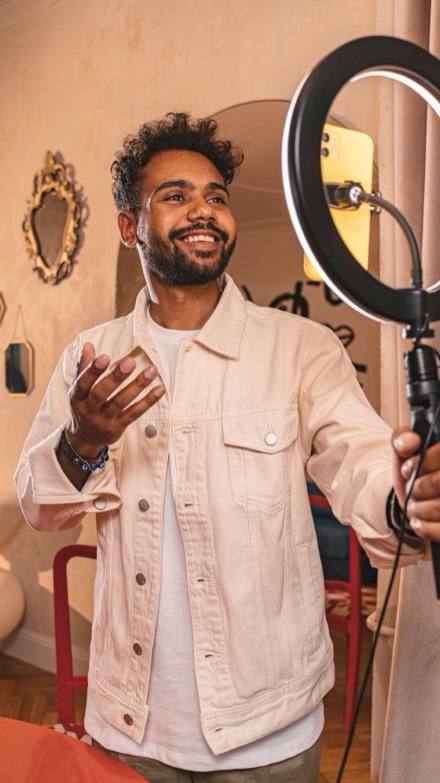
From a long recording to a stack of clips
Upload the full recording
A stream, podcast, talk or interview longer than 3 minutes, mostly talking, from your phone or computer, or drop it in a linked Google Drive folder.
Press Edit this video
Raw2Reel picks 5 to 10 moments of 20 to 75 seconds and ranks them, each with a title, its length, a one-line reason and a preview with the captions on.
Save the ones you will post
Download gives the clip in Full HD. Edit opens it if you want to change a word, the music or the caption style first.
| Clipping by hand | Raw2Reel | |
|---|---|---|
| Finding the moments | Watch the whole recording, note the timestamps | Picked from the transcript, ranked, with a reason for each |
| Clip boundaries | Trimmed by ear, often cutting a sentence | Whole sentences, cut in the quiet between two words |
| Vertical | Reframe every clip yourself | Every clip comes out 9:16 |
| Captions | Auto-captions in another app, then fix the timing | Word by word, timed to the voice, your style and colour |
| Pauses and ums inside a clip | Left in, or cut by hand | Cut in the same pass |
| Time for a 44-minute episode | An afternoon | 10 clips in 3 min 23 s (measured 1 Nov 2026) |
| Cost per clip | Your hours | $2.30 to $2.90 in a pack, or $7 for every clip of one recording |
Times measured from the end of the upload on 1 November 2026: a 44-minute podcast gave all 10 clips in 3 min 23 s, a 7-minute talk in Arabic all 5 in 5 min 22 s. Times depend on the video and on how busy the editor is.
What slows a clipper down, and what doesn't have to
Watching a two-hour recording to find the good parts, trimming each clip so it doesn't start mid-thought, reframing to vertical, captioning, and doing it again for the next episode. Raw2Reel does the finding, the trimming, the reframing and the captions in one pass. Your time goes to choosing which clips to post, the hook text and the posting itself.
How the moments are picked
Raw2Reel looks for moments that make sense to someone who never saw the rest: no "as I said earlier", no answer without its question. Each clip starts on a line that makes people stop, like a bold claim, a question or the first beat of a story, and ends on a complete thought. Clips never overlap, and when the whole recording is good they are spread across it, not bunched at the start. A recording of up to about 11 minutes gives 5 clips; every 2 minutes more adds one, up to 10 from 20 minutes on. Weak moments are left out rather than padded.
Every clip comes finished
Each clip is edited like any Raw2Reel video: the pauses, ums and repeated lines are cut, captions appear word by word in your style and colour (Pop and Big word are the loud styles clip accounts use), music sits under the voice, b-roll covers the key lines, and auto zoom keeps the frame moving. Full HD 1080p, no mark. More on how long videos become clips.
Short raw clips work the same way
If the creator sends you ten short takes instead of one long recording, upload them together. Each one under 3 minutes is edited into one finished video, or tick several in the To edit list and tap Join into one video to cut them together in the order you choose. Ten raw clips before lunch become ten ready videos.
Change a clip by typing
Every clip opens in the editor. Tap a word to cut it, tap a red word to bring it back, or type what you want: "start one sentence later", "less music", "no b-roll", "bigger captions". The clip updates a moment later. Saving the same clip again after changes is free.
Landscape streams and podcasts
A landscape recording comes out 9:16 with the whole picture in the middle and a soft blurred copy of it above and below, so a two-person podcast keeps both faces. Raw2Reel does not crop in to follow one speaker yet, and it does not make a split layout of game footage and a face cam.
Any language the creator speaks
Over 90 spoken languages are recognised automatically. Arabic captions are written right to left correctly, and captions can be translated into 7 languages if you clip for an audience in another country.
What it does not do yet
It does not post to TikTok, Reels or Shorts for you; you save the clips and post them. You cannot mark your own start and end times yet; Raw2Reel picks the moments, and One long video gives you the whole recording edited as one piece. Recordings where most of the sound is music or drama, and videos with little talking, get one edit of the whole video instead of clips.
Price: pay for the clips you keep
A saved clip counts as one video, and watching your clips is free with no card. To download them, take the monthly plan (15 videos for $15) or a pack: 10 videos for $29 or 30 for $69, paid once, refilled at the same price only when you are almost out. If you are not on the monthly plan and want every clip from one recording, one payment unlocks them all: $7 in the US, a local price elsewhere, and unlocked clips do not use your videos. Downloaded clips have no Raw2Reel mark.
More you can do with Raw2Reel
Questions
What is a good clipping tool for clippers?
For talking recordings (streams, podcasts, talks, interviews), Raw2Reel picks and ranks 5 to 10 moments from the whole recording and edits each into a captioned vertical clip. You download the ones you want in Full HD, with no mark.
How many clips do I get from one video?
5 clips from a recording of up to about 11 minutes, one more for every 2 minutes after that, up to 10 from 20 minutes on. If a recording has fewer strong moments, you get fewer clips instead of weak ones.
How long does it take?
The first clip is usually ready 1.5 to 2.5 minutes after the upload, and all of them in about 2 to 6 minutes. A 44-minute podcast gave all 10 clips in 3 min 23 s on 1 November 2026.
Can I choose which part of the video becomes a clip?
Not by timestamp yet. Raw2Reel picks the moments and ranks them. You can open any clip and cut words at the start or end, or tap One long video to get the whole recording edited as one piece.
Does it work with a stream or podcast filmed in landscape?
Yes. Each clip comes out 9:16 with the whole picture in the middle and a blurred copy behind it. It does not crop in on one speaker's face yet.
Does it post the clips for me?
No. You save each clip and post it yourself, to TikTok, Reels, Shorts or anywhere else.
Is there a watermark?
No. Every clip you download has no Raw2Reel mark.
What does it cost per clip?
Each clip you download is one video. Watching them is free. To download: $1 a video on the monthly plan, about 67 cents on the yearly plan, $2.30 to $2.90 in a pack, or $7 (US price) to unlock every clip of one recording when you are not on the monthly plan.
Can I upload a video by pasting a link?
No. Upload the video file from your phone or computer, or drop it in a Google Drive folder you have linked to your account.